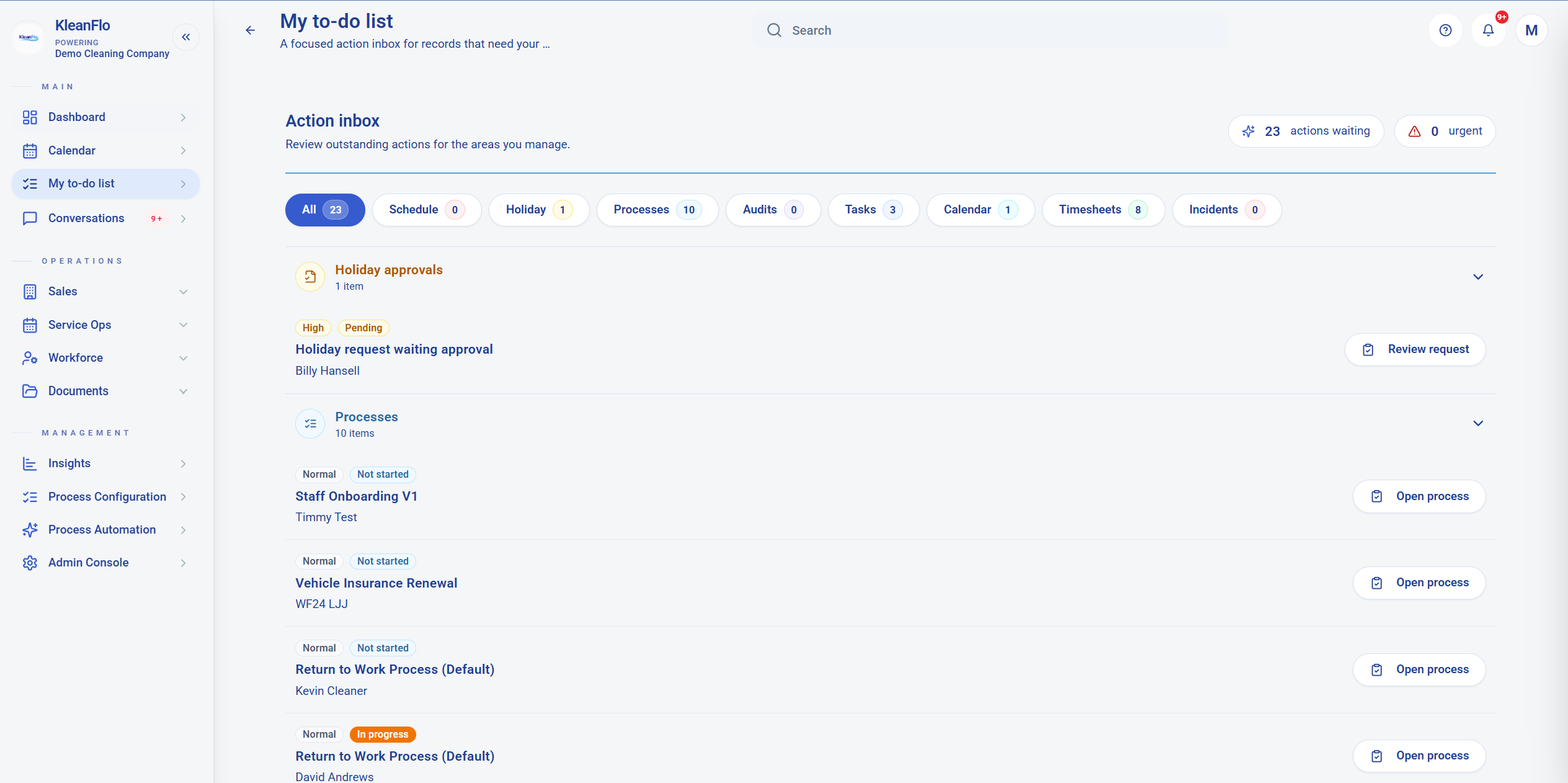

My to-do list
My to-do list is the go-to place for outstanding actions. It is available on KleanFlo web and in the Move app, so owners and managers can see what needs doing whether they are at a desk or on the move.
Timesheet action follow-up
Use the Daily tasks guide when the to-do list points to timesheets, payroll, or work needing review.
What it is for
Action inboxA focused list of records that need review, approval, completion, or follow-up.
Web and Move appUse the same action-led view in the office or while working away from the desk.
Area filtersClick an area button such as Schedule, Holiday, Processes, Tasks, Timesheets, or Incidents to show that type of action only.
Urgent countUse the urgent count to prioritise items that need immediate attention.
How to use it
- Start with All. This shows the full action inbox so nothing is missed.
- Filter by area. Click a button to focus on one area, for example Holiday approvals or Processes.
- Expand or minimise sections. Open the section you are working on and collapse areas you do not need right now.
- Open the action. Use the action button, such as Review request or Open process, to go directly to the record.
- Return and clear the list. After completing an action, return to My to-do list to pick up the next outstanding item.
Typical action areas
HolidayRequests waiting for approval or review.
ProcessesOpen or not-started processes that need progress.
ScheduleSchedule-related actions that need checking.
TimesheetsTimesheet items that need attention before payroll or reporting.
IncidentsIncident records that need follow-up.
Tasks and auditsAssigned operational checks that need completion.
View My to-do list screenshot